The ad blocker for Android that works in your apps, not only your browser.
ClearAd blocks most ads and trackers in games, news apps and browsers with a private filter that runs on your phone. Nothing you do is uploaded.
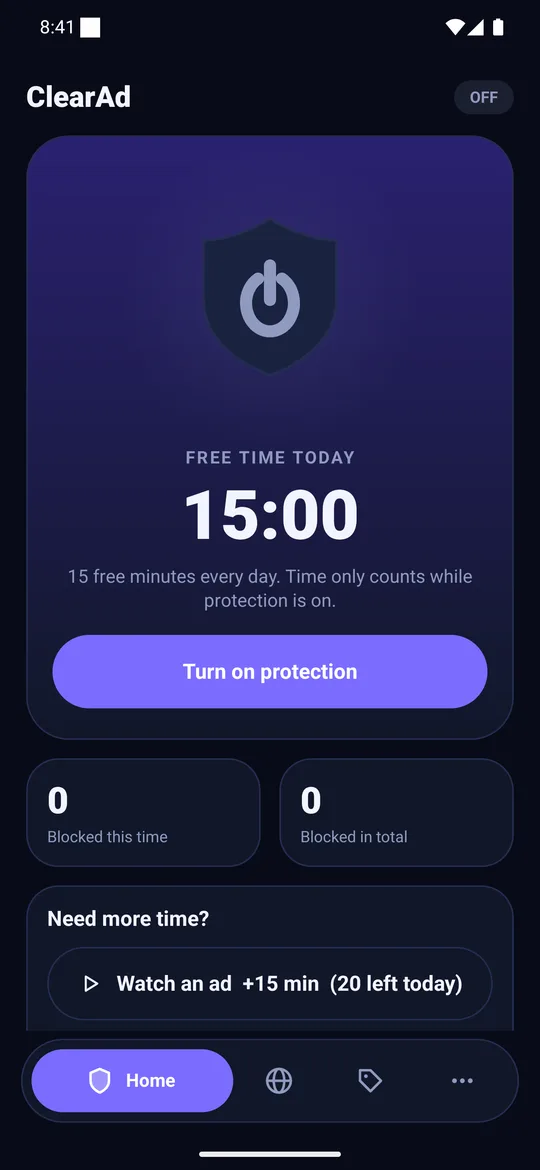
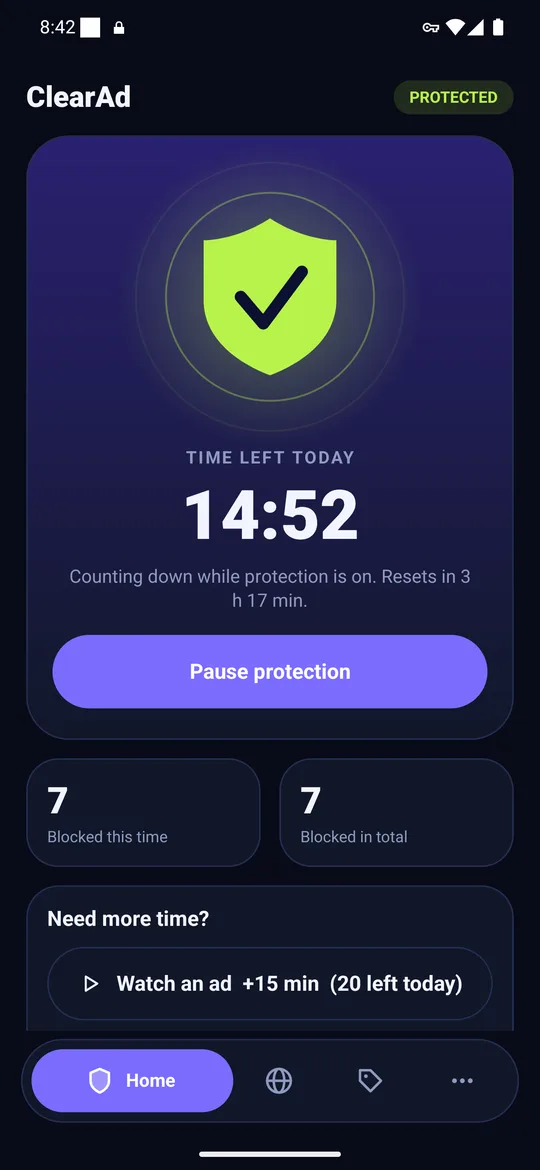
Features
Everything an Android ad blocker should do
Simple to start, honest about its limits, and in your control when something breaks.
Blocks ads in every app
One switch covers games, news apps and browsers. Known ad and tracker servers get “no such server”.
Private by design
Lookups are checked in memory, never stored or sent. No account, contacts or location.
Leave apps out
Exempt banking or any app that breaks, or tap Allow on a single blocked address.
Built-in browser
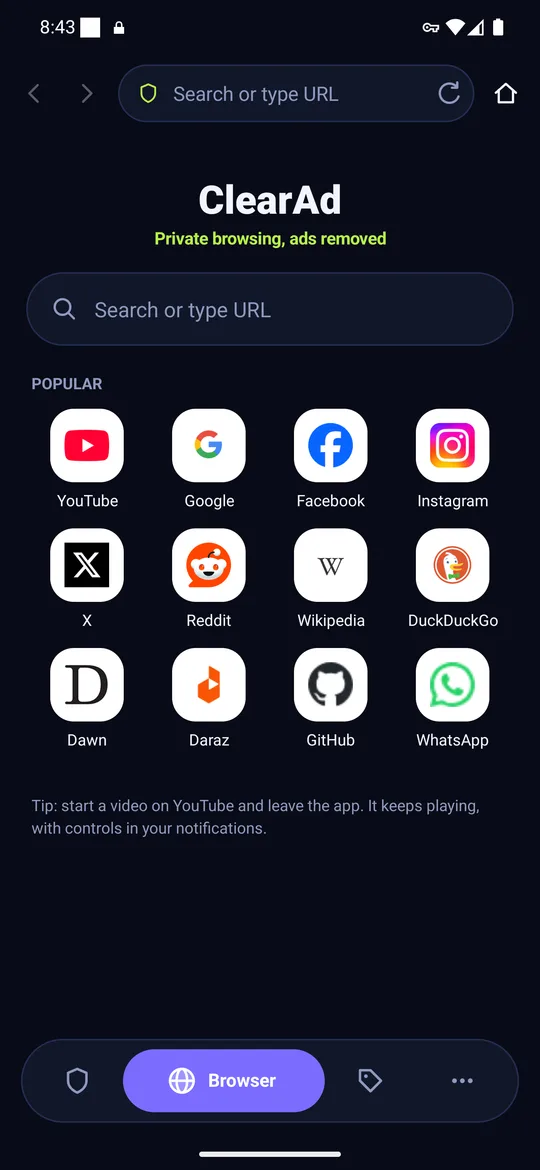
Page-level blocking with the same list, tabs, a home page and background audio.
Light on battery and data
Only small DNS lookups go through the filter. Everything else goes straight out.
Dark and light themes
Follows your phone, with a clear countdown of the free time you have left.
How it works
How ClearAd blocks ads on Android without root
Android lets an app create a VPN that stays on the phone. ClearAd uses it for one job: reading DNS lookups, the step where an app asks “what is the address of this server?”. If the server is a known ad network, ClearAd says it does not exist, so the ad never downloads.
Install the APK
Download it from this site and allow installs once. We publish the SHA-256 of every release.
Tap the shield
Accept Android’s one-time VPN prompt. ClearAd only filters address lookups on your phone.
Ads stop loading
Known ad and tracker names are blocked. Everything else loads as normal.
See what was blocked, and fix anything that breaks
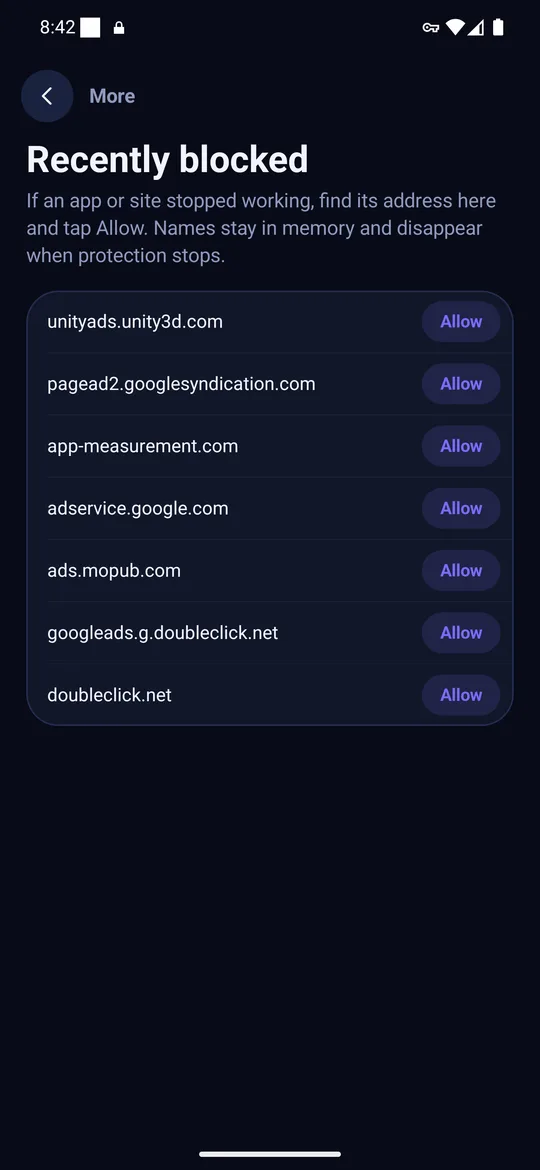
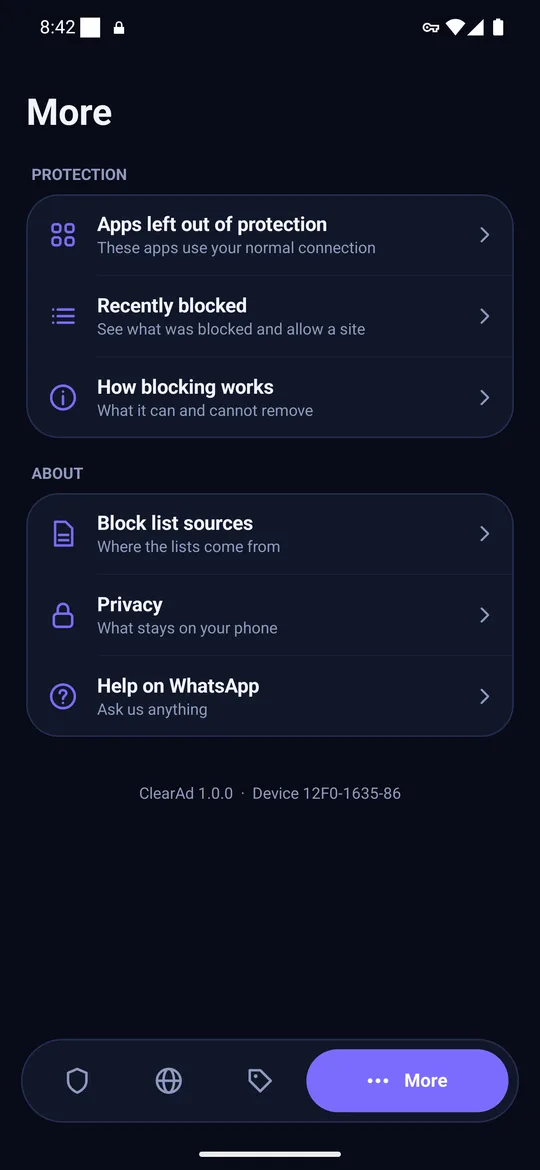
Recently blocked lists the ad and tracker names ClearAd answered with “no such server”. If an app stops working, tap Allow on its address, or leave the whole app out of protection.
- Per-app exemptions for banking and misbehaving apps
- Allow one address instead of turning everything off
- Counts, never a history of what you browsed
The app
Real screens from the real app
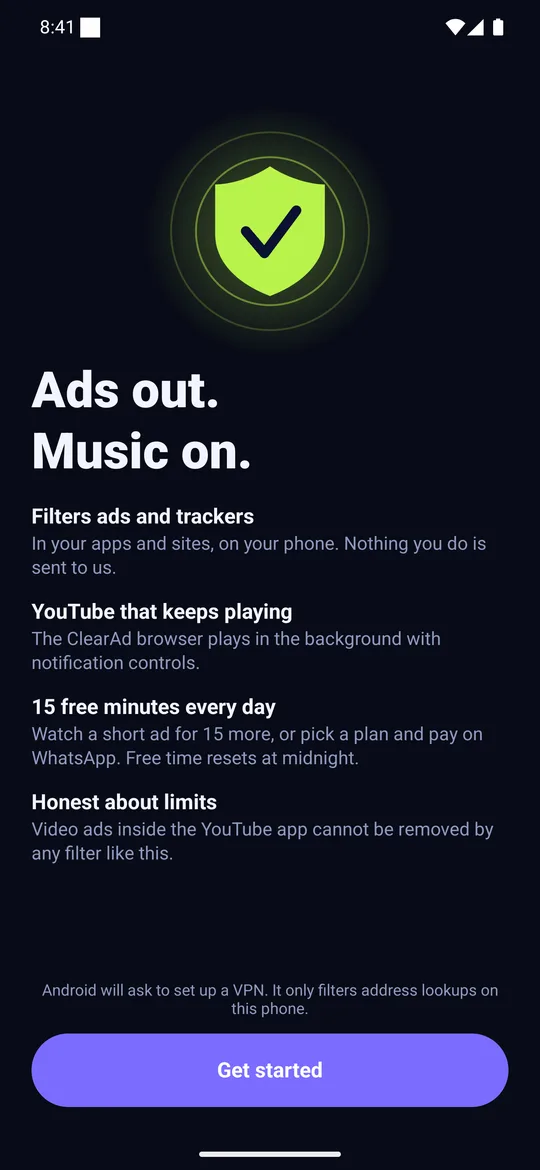
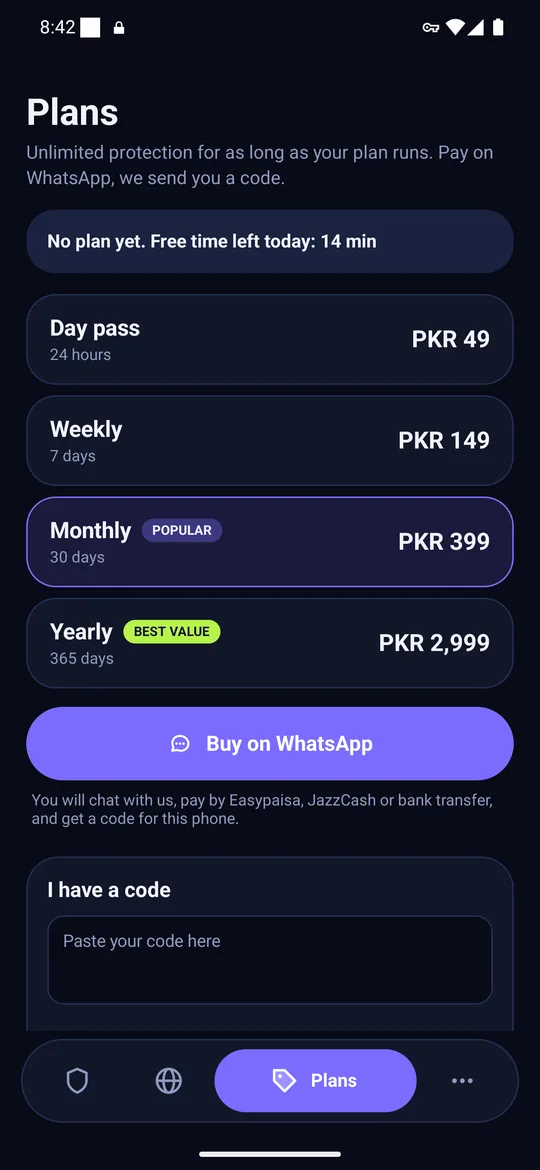
Screenshots from ClearAd 1.0 on an Android 17 emulator. Swipe to see them all.
Use cases
What people use an Android ad blocker for
Games
Cut the full-screen ads between levels. Leave a game out when you want its rewards.
News and web
Block trackers system-wide and hide page ads in the built-in browser.
Pop-ups
Find out whether a site, a notification or a rogue app is behind them.
Mobile data
Fewer ad downloads on a prepaid plan. Measure your own savings.
What ClearAd cannot block
We say “most ads”, never “all ads”. A DNS filter removes ads that come from separate ad servers. It cannot remove ads served from the same address as the content, so video ads inside the YouTube app and feed ads in Facebook and Instagram stay. Some apps use their own DNS and skip the filter, and some show an empty space where the ad was.
Read the longer explanation: why ad blockers cannot block YouTube app ads.
Competitive analysis
ClearAd vs Private DNS, DNS apps and ad-blocking browsers
Four ways to block ads on Android without root. Each is the right choice for someone. Checked 24 October 2026; verify other products’ current features before you decide.
| Android Private DNS | DNS apps (AdGuard, Blokada, DNS66) | Ad-blocking browsers | ClearAd | |
|---|---|---|---|---|
| Needs root | No | No | No | No |
| Blocks ads in other apps | Yes, from a hostname list | Yes, from lists you pick | No, only pages in that browser | Yes, via a local DNS filter |
| Hides ads inside web pages | No | No (DNS only) | Yes | Yes, in the built-in browser |
| Leave one app out | No, all or nothing | Usually yes | Not applicable | Yes, pick apps to exempt |
| “Allow this” for a broken app | No | Varies | Varies | Yes, from Recently blocked |
| Where you get it | Built into Android 9+ | Websites, F-Droid; some stores | App stores | This website (APK) |
| Cost | Free | Free to paid | Mostly free | 15 free min/day; plans from PKR 49 |
| Pay in Pakistan | Not applicable | Usually card or store billing | Not applicable | Easypaisa, JazzCash or bank (WhatsApp) |
Head-to-head pages
ClearAd vs AdGuard for Android: which ad blocker should you use?
ClearAd vs AdGuard on Android: where each blocks, how you install and pay, how much control you get, and who should choose which.
ClearAd vs Blokada: a free open-source DNS blocker or a simple freemium app?
ClearAd vs Blokada on Android: open source versus freemium, how each blocks ads with a local VPN, and who each is right for.
ClearAd vs Android Private DNS: do you need an ad blocker app?
ClearAd vs Android's built-in Private DNS: what the app adds, what the setting does for free, and how to decide.
ClearAd vs ad-blocking browsers: why apps and web pages need different tools
An ad-blocking browser cleans web pages; an ad blocker app filters ads in other apps. When you need each, and why ClearAd includes both.
Plans
Free every day, or unlimited on a plan
15 minutes of protection every day, refilled at your local midnight. Watch a short ad for 15 more, up to 20 a day. A plan removes the limit. Pay on WhatsApp by Easypaisa, JazzCash or bank transfer and we send a code that works on your phone only.
Launch prices, may change. Refund within 3 days if the app never worked on your phone.
Free tool
Is that domain an ad server?
Paste any domain and see whether ClearAd’s list of 5,677 ad and tracker domains blocks it. It runs in your browser.
Try the ad domain checkerFAQ
Questions about ClearAd
Does ClearAd block ads without root?
Yes. ClearAd uses Android’s built-in VPN permission to run a filter on your phone that only handles address lookups (DNS). It needs no root access.
Does ClearAd block all ads?
No. It blocks most ads that come from separate ad servers. It cannot remove ads served from the same address as the content, such as video ads inside the YouTube app or feed ads in Facebook and Instagram.
How much is free?
You get 15 minutes of protection every day, refilled at your local midnight. After that you can watch a short ad to earn 15 more minutes, up to 20 ads a day. A paid plan removes the limit.
Is my browsing uploaded anywhere?
No. Address lookups are checked on your phone and are not stored or sent to us. Only counts such as “blocked today” are kept. There is no account.
Why is ClearAd not on Google Play?
Google Play does not allow apps that block other apps’ ads, so ClearAd is installed from this website. We publish the SHA-256 of every release so you can check the file.
How do I pay for a plan?
Tap Buy on WhatsApp in the app, chat with us, pay by Easypaisa, JazzCash or bank transfer, and we send you an activation code that works only on your phone.
Does it drain the battery or slow my internet?
Only DNS lookups go through the filter; all other traffic goes straight to the internet. We target under 2% battery a day, which we are still measuring on real phones.
Guides
From the blog
How to block ads on Android without root: 3 methods that work in 2026
Three ways to block ads on Android without root: Private DNS, a local-VPN ad blocker app and a blocking browser. Steps, limits and which one to pick.
Private DNS vs an ad blocker app on Android: which should you use?
Private DNS and local-VPN ad blockers both filter ads by name. What each gives you, what it costs, and when the built-in setting is enough.
How to stop ads in Android games without root (and why some games break)
Full-screen ads in Android games come from ad networks a DNS filter can block. Steps, what to expect, rewarded ads and why some games break.
Why ad blockers cannot block YouTube app ads on Android
DNS ad blockers stop most app ads but not YouTube's. The video and its ads come from the same servers, so blocking them breaks the video.
Private DNS hostnames for blocking ads on Android: what each provider filters
Which Private DNS hostname blocks ads on Android? A checked list of AdGuard, Mullvad, NextDNS, Cloudflare and Quad9 hostnames, with what each one does and does not filter.
How DNS ad blocking works on Android, step by step
A plain explanation of DNS ad blocking on Android: what a DNS lookup is, how a local VPN filter catches it, why it is fast, and why it cannot block every ad.