How it works
How ClearAd blocks ads on Android, screen by screen
These are real screenshots from the app running on an Android 17 emulator. No mock-ups.
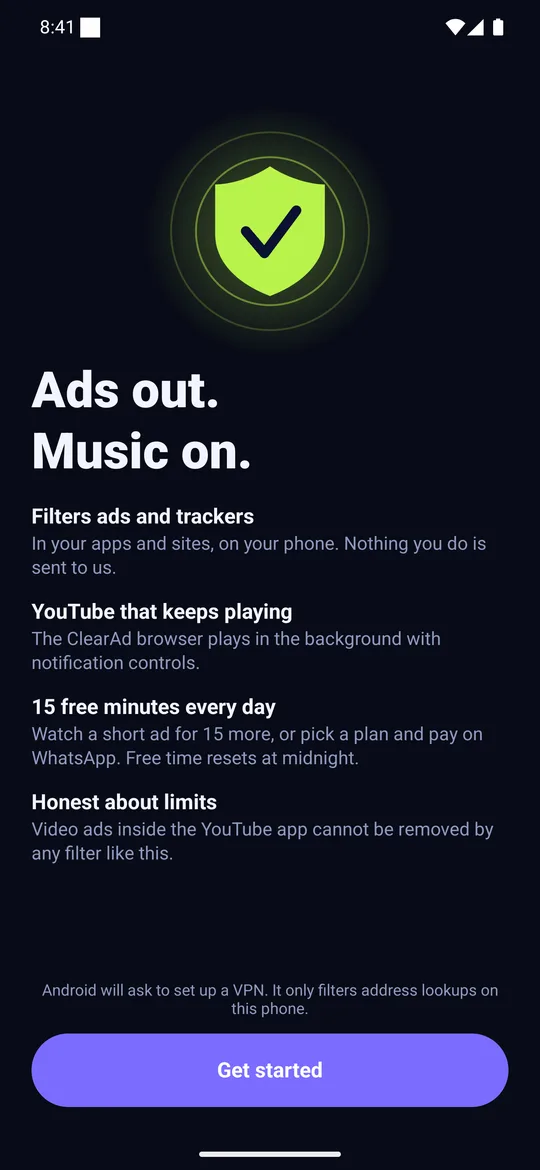
1. Install and read the honest welcome
The first screen says what ClearAd does and, in the same breath, what it cannot do. Android will ask once to set up a VPN; ClearAd only filters address lookups on your phone.
- Filters ads and trackers in apps and sites, on your phone
- A built-in browser that keeps audio playing in the background
- 15 free minutes every day
- Video ads inside the YouTube app cannot be removed by a filter like this
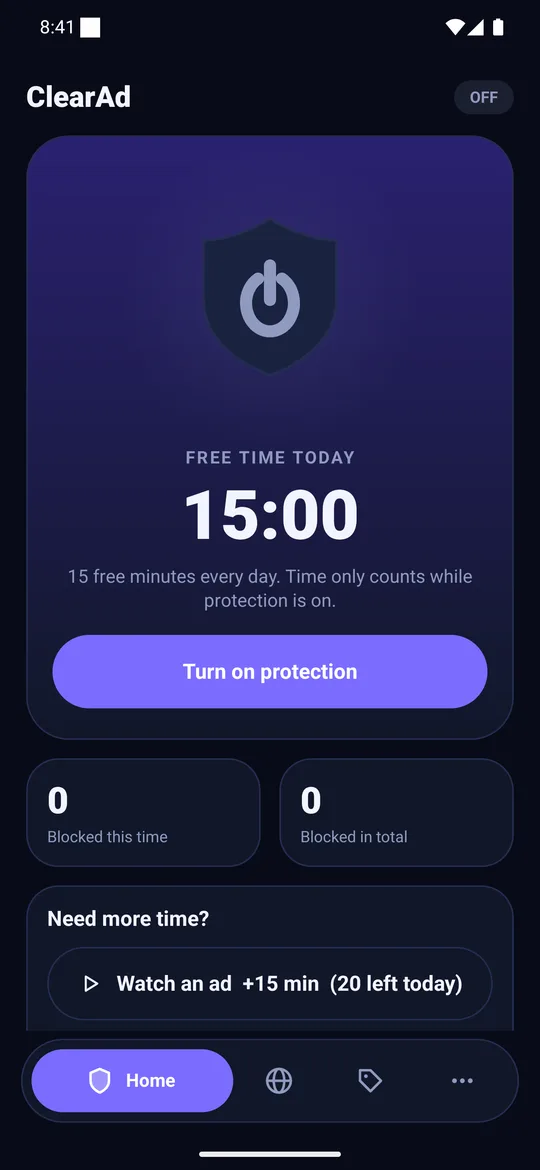
2. Tap the shield
Home shows your free time for today. Time only counts down while protection is on, so pausing never wastes it.
- Free time today: 15:00 at the start of each day
- Turn on protection starts the local filter
- Blocked this time and Blocked in total counters
- Need more time? Watch an ad for +15 minutes (up to 20 a day)
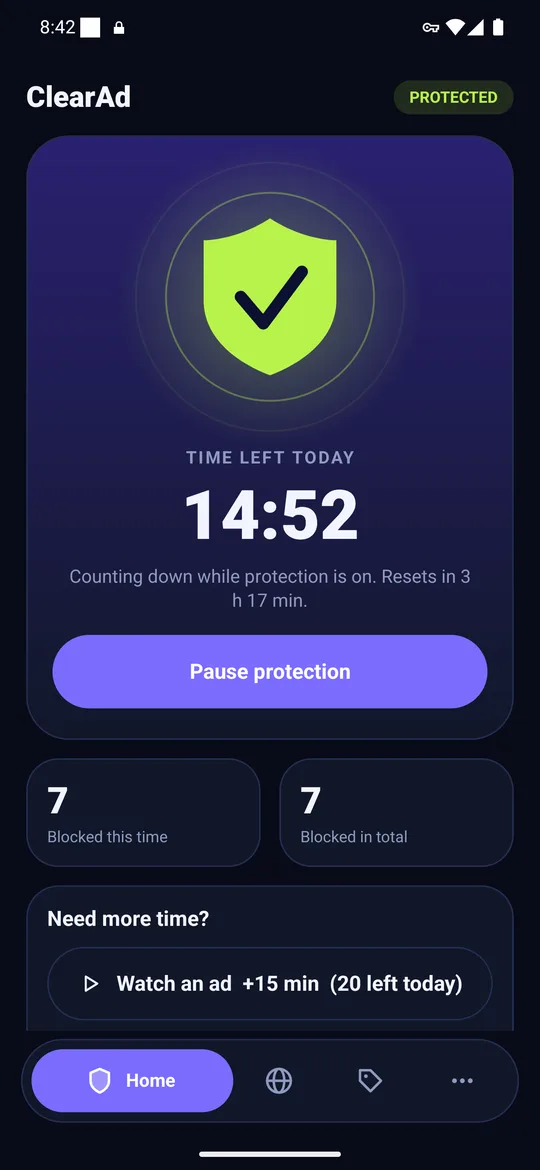
3. Ads stop loading
With the shield green, every address lookup on the phone passes the filter. Known ad and tracker names get “no such server”, and the counter climbs. Everything else is passed to the internet untouched.
- Time left today counts down and tells you when it resets
- The key icon in the status bar is Android’s VPN indicator
- Pause protection any time
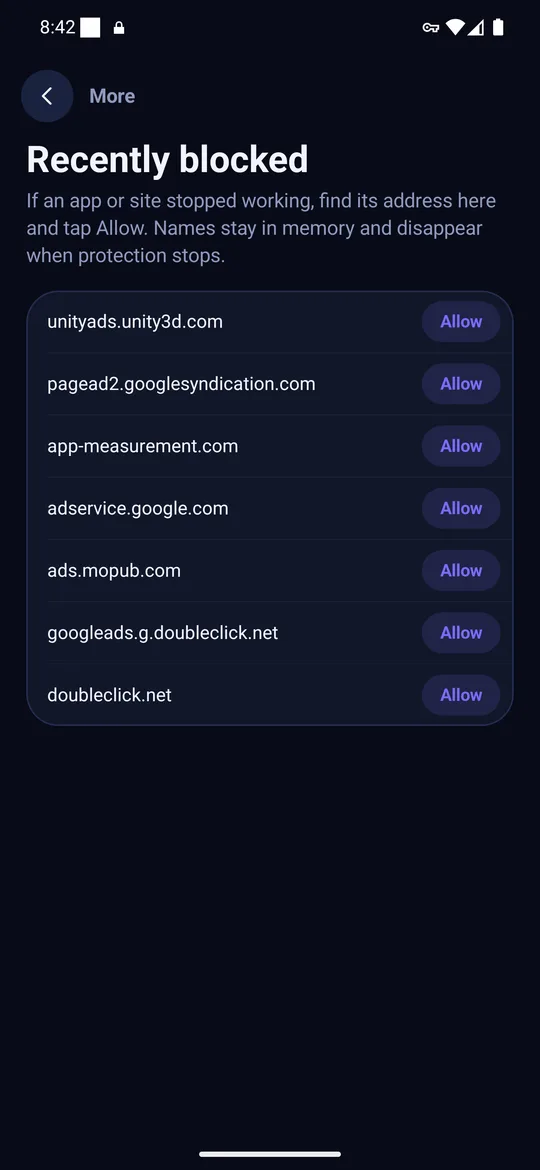
4. Fix anything that breaks
If an app or site stops working, open Recently blocked, find its address and tap Allow. Names stay in memory only and disappear when protection stops.
- Allow one address instead of switching everything off
- Or leave a whole app out under Apps left out of protection
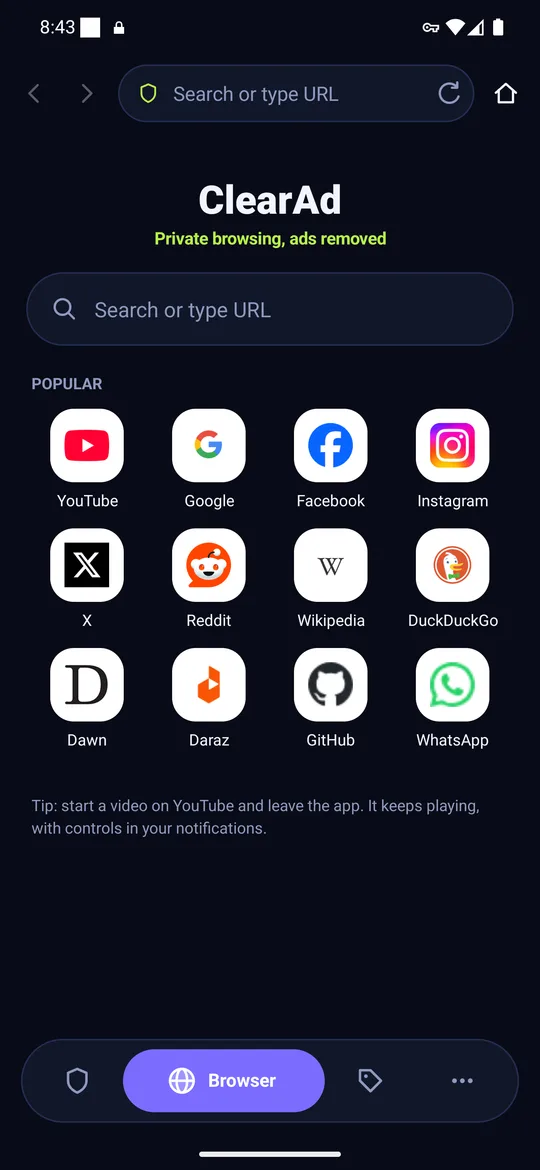
5. Browse with page-level blocking
The built-in browser uses the same list plus page rules, has tabs, a home page of popular sites, and keeps audio playing when you leave the app.
- Search or type an address
- Popular sites one tap away
- Background audio with notification controls
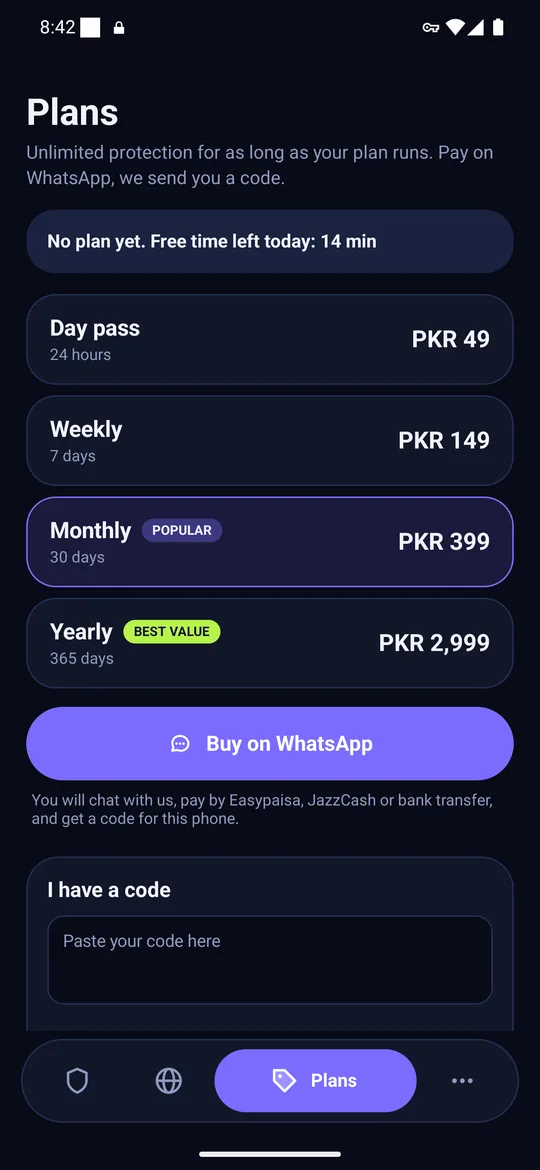
6. Need unlimited? Pick a plan
Choose a plan, tap Buy on WhatsApp, pay by Easypaisa, JazzCash or bank transfer, and we send an activation code that works only on your phone. Paste it into I have a code.
- Day pass PKR 49 · Weekly PKR 149 · Monthly PKR 399 · Yearly PKR 2,999
- No card number or wallet number is ever typed into the app
- Refund within 3 days if the app never worked on your phone
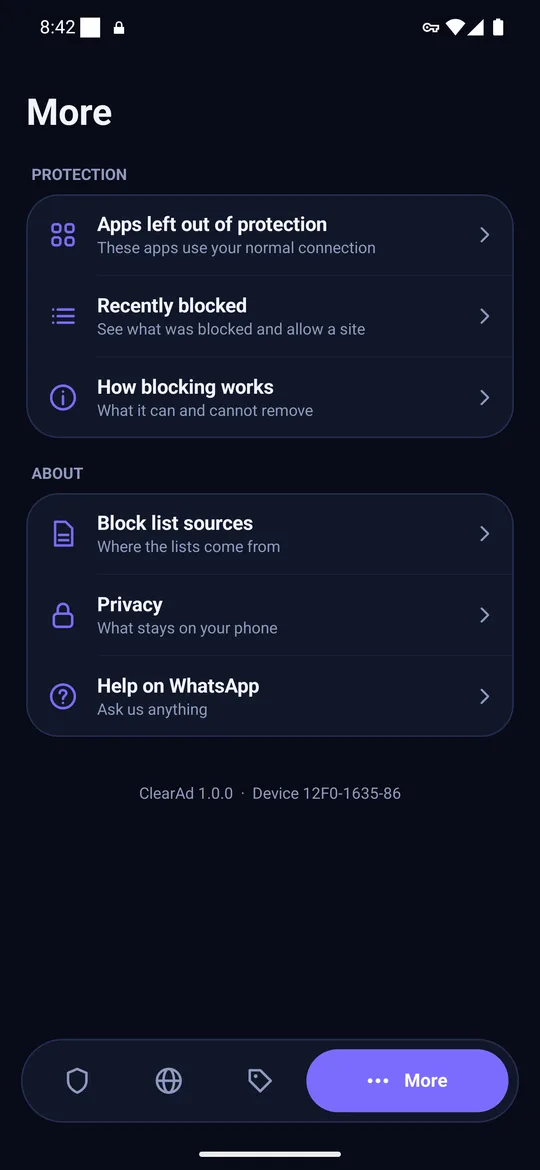
7. Settings, sources and help
More holds the apps list, recently blocked names, a plain explanation of what blocking can and cannot do, the block list sources with their licences, privacy, and help on WhatsApp.
The daily time rules
| Free time | 15 minutes every local day, refilled at midnight |
|---|---|
| Counting | Only while protection is on |
| Earn more | +15 minutes per rewarded ad, up to 20 a day (max 315 minutes) |
| Carry-over | None; unused minutes do not roll to tomorrow |
| Paid plan | Unlimited while active |
What it cannot block
ClearAd blocks most ads from separate ad servers. It cannot remove ads served from the same address as the content, such as video ads in the YouTube app or sponsored posts in social feeds. Some apps use their own DNS and skip the filter. See why.
Questions
How does ClearAd work?
It uses Android’s VPN permission to run a filter on your phone that sees only address lookups. If a name belongs to a known ad or tracker server, it answers that the server does not exist, so the ad never downloads.
How do the 15 free minutes work?
You get 15 minutes of protection every local day. Time counts only while protection is on. At local midnight it resets to 15 minutes and unused time does not carry over.
How do I earn more time?
Watch a short rewarded ad for 15 more minutes, up to 20 ads a day, so at most 315 minutes a day. A paid plan removes the limit and hides the ad button.