On this page
- Both are installed outside Google Play; AdGuard says it left Play in 2014.
- Neither can block ads served from the same server as content, such as YouTube app video ads.
- Choose AdGuard for maturity and depth; choose ClearAd for simplicity, a free daily allowance and local payment.
AdGuard is one of the longest-running ad blockers on Android. ClearAd is new. If you are choosing between them, the useful question is not which is "better", but which fits how you use your phone and how you pay.
At a glance
| AdGuard (full Android app) | ClearAd | |
|---|---|---|
| Blocks ads in other apps | Yes | Yes (local DNS filter) |
| Needs root | No | No |
| Install route | Website and other stores; removed from Google Play in 2014 by its own account | Website (APK) |
| Cost | Paid, with a trial | 15 free minutes a day; +15 per rewarded ad (up to 20 a day); plans from PKR 49 |
| Pay how | Store or card billing | Easypaisa, JazzCash or bank transfer, confirmed on WhatsApp |
| Control and filters | Deep: custom filters and many options | Simpler: app exemptions, allow-list, block list view |
| Built-in browser | No (it filters other browsers) | Yes |
| YouTube app ads | Not removable by DNS alone | Not removable; we say so up front |
| Maturity | Years of releases and a large user base | New in 2026; version 1.0 |
Where AdGuard is stronger
- Maturity. Years of updates, many users and a larger team.
- Depth. More filtering options and customisation for people who want them.
- Reach. Apps and extensions across more platforms.
Where ClearAd is stronger
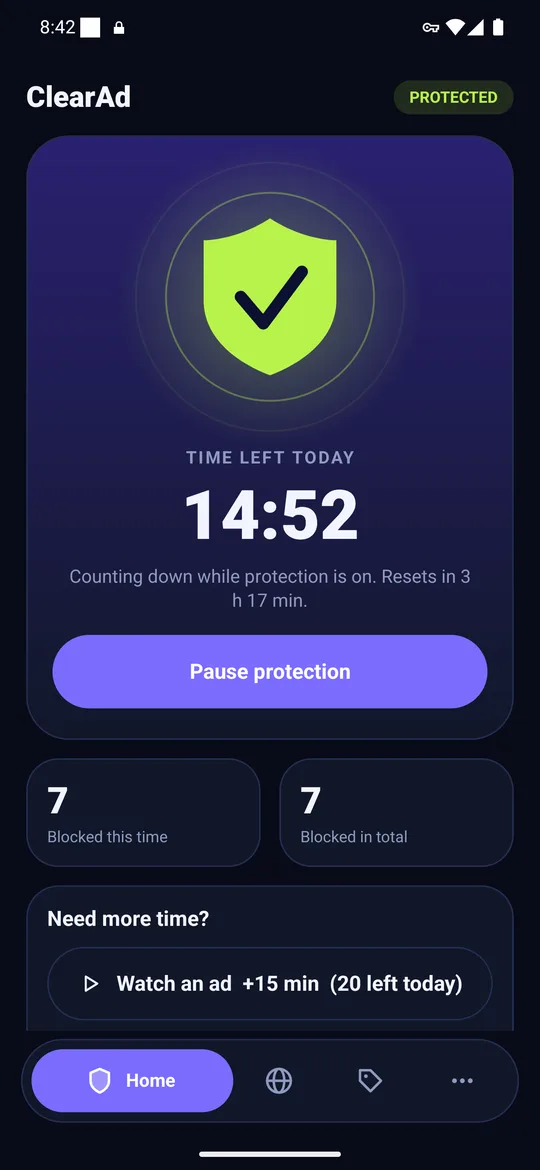
- A free daily allowance. 15 minutes every day without paying, plus a way to earn more by watching a short ad.
- Local payment. Pay for a plan by Easypaisa, JazzCash or bank transfer through WhatsApp, without a card.
- Simplicity. One shield, one list of recently blocked names, one list of apps to leave out.
- A built-in browser with its own ad rules and background audio.
What neither can do
Both filter by server name. Ads that come from the same server as the content, such as video ads in the YouTube app or sponsored posts in social feeds, stay. We explain it in why ad blockers cannot block YouTube app ads.
Who should choose which
- Choose AdGuard if you want the most mature product, plenty of options and you can pay by card or store billing.
- Choose ClearAd if you want something simple, want to try it free every day, or want to pay locally on WhatsApp.
- Choose neither if Android's built-in Private DNS is enough for you. See Private DNS vs an ad blocker app.
Frequently asked questions
Is ClearAd as good as AdGuard?
Not on features or maturity. ClearAd is simpler and new; AdGuard is more configurable and established.
Is ClearAd free?
Partly. You get 15 free minutes every day and can earn 15 more per rewarded ad, up to 20 a day. A paid plan removes the limit.
Does either block YouTube ads in the app?
No DNS-based blocker can reliably, because the video and ads come from the same servers.
Block ads in your apps with ClearAd
No root. 15 free minutes every day. Blocks most ads, not all. Installed from this site as an APK.