On this page
- Download only from the developer's official site, not mirrors.
- Check the SHA-256 checksum against the published value.
- On Android 8 and newer, unknown-app installs are allowed per app, not for the whole phone.
- Switch the permission off afterwards.
An APK is the installation file for an Android app. Installing one outside Google Play is normal for ad blockers, open-source apps and beta builds, but it removes the store's checks, so you have to do a few yourself. The whole process takes about five minutes.
Before you download
- Make sure you are on the developer's official website. Type the address yourself or follow it from a trusted source.
- Look for a published SHA-256 checksum next to the download. Developers who care about trust publish one.
- Check the minimum Android version. ClearAd needs Android 8.0 or newer.
Step 1: download the file
Open the download link in Chrome and download the APK. Android may warn that this type of file can harm your device. That message appears for every APK; continue only if you trust the source.
Step 2: check the SHA-256 checksum
A checksum is a fingerprint of the file. If one byte changes, the fingerprint changes. Compare yours with the one on the developer's page.
- On a Windows PC: download the APK there and run
certutil -hashfile app.apk SHA256in Command Prompt. - On a Mac or Linux PC: run
shasum -a 256 app.apk. - On the phone: use a file-hash app from a trusted publisher, or check on a PC and transfer the file.
Step 3: allow installs for one app only
Since Android 8, "install unknown apps" is a permission you give to a specific app, such as your browser or Files app, instead of a global switch.
- Tap the downloaded APK. Android asks you to allow installs from this source.
- Open Settings from the prompt and turn on Allow from this source for that one app.
- Go back and tap Install.
Step 4: handle the Play Protect prompt
Play Protect may say it has not seen this app before and offer to scan it. Choose Scan app. A scan is not a guarantee, but it adds a check. You may also be warned that the app comes from an unknown developer; that is expected for an app outside Play.
Step 5: switch the permission off
Return to Settings, Apps, Special app access, Install unknown apps and turn off the app you used. This stops any other file from installing silently through your browser later.
First run: what to expect from ClearAd
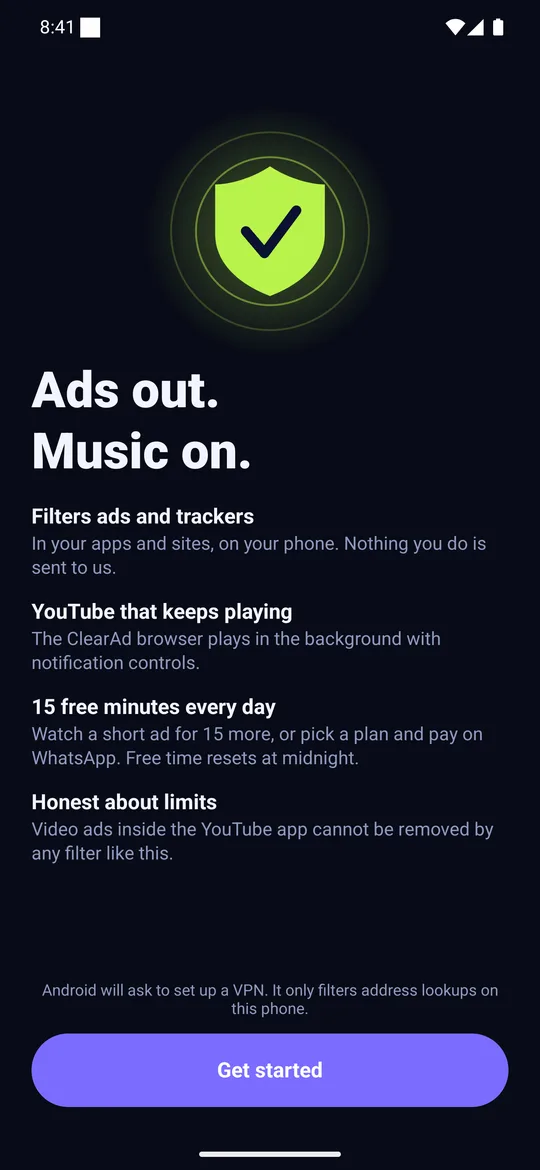
When you open ClearAd it shows a short welcome, then asks Android for a one-time VPN connection so it can filter address lookups on your phone.
Updates
Apps outside Play do not update automatically. Check the developer's page occasionally, and repeat the checksum check each time. ClearAd's download page lists the current version and checksum.
Frequently asked questions
Is it safe to install APK files on Android?
It is safe if the file comes from the developer's official site, the checksum matches and you switch the permission off afterwards.
How do I verify an APK?
Compare its SHA-256 checksum with the one the developer publishes, using certutil on Windows or shasum on Mac and Linux.
Why does Android warn me about unknown apps?
The app is not from a store Android knows. The warning appears for every sideloaded app.
Block ads in your apps with ClearAd
No root. 15 free minutes every day. Blocks most ads, not all. Installed from this site as an APK.